


AI implementation for business: from process audit to a working solution
We find the processes where AI saves time and money, prove it in a pilot with numbers, then launch it and hand it over.
What else we automate
- proposals and quotes
- AI sales agents
- employee training
- knowledge bases
- chatbots for your site and messengers
- handling of incoming requests
- invoice and document processing
- customer replies
- report writing and analytics
- contract drafting
- booking and reminders
- data matching between CRM and accounting
- product descriptions
- meeting minutes
- call quality checks
- and much more
- Pilot in 3–6 weeks
- Your data stays with you
- Every stage has a price
What AI implementation actually is
AI implementation means building AI tools into your company's workflows so they cut hours or losses, and you can measure it. It is not a chat subscription and not a bot for its own sake.
- A subscription to an AI service
- Access to a model through an API
- A ready-made bot from a catalog
- A course after which nothing changes
- The process: who does what, and how many hours it takes today
- The data: where it comes from and where it may be processed
- Links to your systems: CRM, ERP, email, documents
- The measurement: before and after
- The people: who checks the result and makes the call
Who this is for
- Companies with repetitive manual work
- Teams that handle many requests, emails and documents
- Support and sales teams with typical questions
- Those who want to test small first and expand later
Which of these sounds like you
Pick the closest one. We will tell you where to start.
Where to start
Pick one repeating process and count how many hours a week it takes. We start there: without a "before" number there is nothing to check the result against.
Example. A manager copies requests from email and messengers into the CRM by hand every day. The system does it on its own, and a person checks only the doubtful cases.
Where to start
Collect 20–30 typical questions and answers from email and chats. The first pilot is built on them: a bot or an assistant for your operators.
Example. At night a customer asks about delivery times. The bot answers at once from your knowledge base and hands a complex question to an operator with the details already collected.
Where to start
Bring one sample of each document type. We will check which fields the system reads reliably and which a person should verify.
Example. Managers dislike filling in company details. The system fills them in from a file, a voice message or a block of text, and the manager only checks.
Where to start
List the 10 questions newcomers ask most often. We will build a knowledge-base assistant on them and check whether it answers correctly.
Example. A new employee asks how to process a return. The assistant answers from your procedure and shows which clause the answer comes from.
Where to start
We will find out why: the process, the data or the people. A common cause: the tool was installed, but nobody was made responsible and nothing was measured.
Example. You bought a chat subscription and a month later nobody uses it. We work out which process it was meant to replace and assign an owner with a measurement.
Where to start
Start with a process that has no personal or commercial data, for example marketing copy. We will choose the protection for the rest separately.
Example. Mailing copy and product descriptions can be prepared with AI: they hold no personal data. Customer data is connected later and in a protected setup.
What AI takes on and what stays with people
Pick a department. We show which tasks go to automation, which a person checks and what stays manual.
Goes to automation
- First reply to a request and catalog questions
- Filling in the customer card in the CRM from the conversation
- Reminders about the next step on a deal
A person checks
- A commercial offer before it is sent
- Answers to non-standard questions
Stays manual
- Negotiations and discounts
- The decision on who to work with next
- Data needed
- Conversation history, CRM cards, price list and catalog
- What we measure
- Time to reply to a request, share of requests with a filled-in card, manager hours spent on routine
- Pilot
- 3–6 weeks on one request channel
Goes to automation
- Answers to typical questions from the knowledge base
- Sorting requests by topic and urgency
- Collecting details from the customer before handing over to an operator
A person checks
- Replies that involve refunds or exceptions
- New topics that are not in the knowledge base
Stays manual
- Conflict cases
- Decisions on complaints
- Data needed
- Archive of requests, knowledge base, reply guidelines
- What we measure
- Time to first reply, share of requests closed without an operator, customer ratings
- Pilot
- 3–6 weeks on one channel, for example the website chat
Goes to automation
- Reading invoices, completion certificates and delivery notes
- Moving fields into the accounting system
- Checking details against the reference list
A person checks
- Amounts and counterparties in disputed documents
- Documents with poor scan quality
Stays manual
- Making payments
- Closing the period
- Data needed
- Document samples by type, counterparty lists, accounting rules
- What we measure
- Minutes per document, error rate after review, accountant hours spent on entry
- Pilot
- 3–5 weeks on one or two document types
Goes to automation
- Drafts of copy and product descriptions
- Transcripts and short summaries of calls
- Campaign summaries from reports
A person checks
- Copy before publication
- Conclusions on channel performance
Stays manual
- Strategy and positioning
- Budgets
- Data needed
- Product descriptions, tone-of-voice guide, reports from ad accounts
- What we measure
- Hours spent preparing materials, share of drafts accepted without edits
- Pilot
- 3–4 weeks on one type of material
Goes to automation
- Answers to newcomers about policies and procedures
- Templates for job posts and candidate emails
- Reminders about documents and deadlines
A person checks
- First screening of applications against set criteria
- Answers on employment questions
Stays manual
- The hiring decision
- Conversations about performance and dismissal
- Data needed
- Policies, job descriptions, job post templates
- What we measure
- Time to answer an employee, recruiter hours spent on first screening
- Pilot
- 3–5 weeks on a knowledge base for one area
Goes to automation
- A summary of sales, costs and deadlines from different systems
- A weekly report built from a set template
A person checks
- Conclusions and reasons for deviations
- Recommended actions
Stays manual
- Decisions on strategy and people
- Data needed
- Exports from the CRM, accounting and spreadsheets with metric definitions
- What we measure
- Hours spent preparing the report, time from an event to the summary
- Pilot
- 3–4 weeks on one report
These are typical scenarios. We fix the exact tasks when we review your process.
What exactly we implement
Six typical solutions. We fit them to your process.
Answers questions from staff and customers using your documents and procedures, and shows where the answer comes from.
Fits when
- You have many procedures and instructions that people keep searching for
- The same questions are asked by newcomers and customers again and again
Does not fit when
- The documents are outdated or contradict each other: we sort them out first
- We connect to
- Document drives and wikis, email, chat
- Example task
- A newcomer asks about the business trip procedure and gets an answer with a link to the exact clause.
Reads incoming emails and requests, fills in cards, creates tasks and drafts replies. A person confirms the important steps.
Fits when
- Managers spend hours on manual data entry and reminders
- Requests arrive through several channels
Does not fit when
- There is no single CRM and no clear process for handling requests
- We connect to
- HubSpot, Salesforce, Pipedrive, Zoho, email, website forms
- Example task
- A website request becomes a card with a topic, an amount and a draft reply.
Reads invoices, completion certificates, contracts and forms, extracts the needed fields and passes them to your accounting system.
Fits when
- There is a large flow of similar documents
- A lot of the work is manual entry
Does not fit when
- The documents are different every time and there are few of them
- We connect to
- ERP and accounting systems, e-invoicing, email, scans and PDFs
- Example task
- A supplier invoice lands in the accounting system with the details and amount filled in, and doubtful fields are highlighted.
Answers customers on your website and in messengers, collects requests and books appointments. Hands complex questions to an operator.
Fits when
- There are many typical questions, including outside working hours
- Requests get lost in messengers
Does not fit when
- Every question is unique and needs expertise
- We connect to
- Website, Telegram, WhatsApp, CRM
- Example task
- A customer writes in the evening, the bot clarifies the task and leaves the manager a request with contact details.
Collects data from your systems, prepares summaries and explains deviations in plain language.
Fits when
- Reports are assembled by hand from different spreadsheets
Does not fit when
- The data is kept irregularly or without common rules
- We connect to
- CRM, accounting, spreadsheets, ad accounts
- Example task
- On Monday the manager gets a summary of sales and costs with a note on what changed during the week.
Takes and makes calls following a script: confirms bookings, answers frequent questions, hands complex cases to a person.
Fits when
- There are many similar calls
Does not fit when
- The conversation needs negotiation or emotional support
- We connect to
- Telephony, CRM, calendar
- Example task
- A customer gets a call reminding them of the booking and can reschedule it by voice.
How the work goes
Five steps. After each one you get a result and decide whether we continue.
-
1 Process and data review Timeline: 1–2 weeks
We look at how the process works today, where time is lost, what data exists and where it is stored.
- What you get
- A map of the process as it is, a list of risks, an estimate of what can be handed to AI
- What we need from you
- Access to the people who run the process and to data samples
-
2 Scenario and success criteria Timeline: about a week
We pick one narrow scenario and fix how we will know it worked: the metric, today's value and the threshold.
- What you get
- A pilot passport: process, metric, baseline, threshold, deadline
- What we need from you
- A decision on who in your company owns the result
-
3 Pilot on your data Timeline: 3–6 weeks
We launch the solution on one process and one group of people. Every week we show interim numbers.
- What you get
- A working prototype and weekly reports with measurements
- What we need from you
- Feedback from the people who use the solution every day
-
4 Decision: continue or stop Timeline: about a week
We compare the pilot result with the threshold from the passport. If it was not reached, we say so plainly and offer to fix it or stop.
- What you get
- A final pilot report and a recommendation
- What we need from you
- Your manager's decision
-
5 Rollout and handover Timeline: depends on scope
We connect the solution to your working systems, train your staff, set up quality control and hand over access and documentation.
- What you get
- A working solution, instructions, team training, agreements on support
- What we need from you
- An owner in your company and access to the systems
Pilot passport: put it together in a minute
Fill in four fields. The passport fixes what counts as success before any work starts.
You do not need exact numbers: rough ones will do, we refine them during the review.
What you get at each stage
Samples of the documents for each step. These are illustrations without real clients: your documents will hold your own figures.
After the review you get a report: how the process works today, where time is lost and what can be handed to automation.
Inside
- Where hours and money are lost
- What data exists and where it lives
- Risks and what needs preparing
An as-is map: who does what and in which order. It shows which steps go to automation and which a person checks.
Inside
- Steps and who does them
- Hand-offs between people and systems
- Marks: automated, checked, manual
The passport fixes what counts as success before any work starts.
Inside
- The process and the metric
- Today's value and the success threshold
- The deadline and the result owner
Every week of the pilot you see how the metric changes, what was done and what gets in the way.
Inside
- Weekly measurements against the threshold
- What was done and what comes next
- Remarks from the people who use the solution
The final report compares the result with the threshold and gives a recommendation: continue, fix or stop.
Inside
- Result against the threshold
- What worked and what did not
- A recommendation and the next step
The values in the samples are illustrative.
Where your data lives
Pick a type of data. We show which setup fits.
Website copy, open descriptions, public price lists. Any setup fits, we choose by cost and quality.
- Fits Cloud model through a gateway The gateway masks unneeded data and stores no requests
- Fits Cloud in your region Data stays in your jurisdiction, terms in the contract
- Fits Your own server and an open model Data never leaves your perimeter
Instructions and knowledge bases. A cloud model is possible, but through a gateway that masks unneeded data and does not store requests.
- With conditions Cloud model through a gateway The gateway masks unneeded data and stores no requests
- Fits Cloud in your region Data stays in your jurisdiction, terms in the contract
- Fits Your own server and an open model Data never leaves your perimeter
Prices, contracts, customer correspondence. We do not send it to general cloud models: a cloud in your region under contract, or your own server.
- Not recommended Cloud model through a gateway The gateway masks unneeded data and stores no requests
- Fits Cloud in your region Data stays in your jurisdiction, terms in the contract
- Fits Your own server and an open model Data never leaves your perimeter
Customers and employees. Only a cloud in your region if the law and the contract allow it, or your own server. Your lawyer checks the legal requirements.
- Not recommended Cloud model through a gateway The gateway masks unneeded data and stores no requests
- With conditions Cloud in your region Data stays in your jurisdiction, terms in the contract
- Fits Your own server and an open model Data never leaves your perimeter
Financial and medical data, trade secrets. Only your own server and an open model that does not pass data on.
- Not recommended Cloud model through a gateway The gateway masks unneeded data and stores no requests
- Not recommended Cloud in your region Data stays in your jurisdiction, terms in the contract
- Fits Your own server and an open model Data never leaves your perimeter
What always applies
- A person confirms irreversible steps
- A log of what the system did and at whose request
- Role-based access: the system sees only what it needs
- A contract with the model provider: what it does with the data is fixed before launch
We set up protection technically. Compliance with data protection law is assessed by your lawyer.
Which model and where it runs
We choose by task, data and budget. Pick a task.
- What we use
- A model that handles long texts well, plus search over your own knowledge base
- Where it runs
- The setup depends on the data type (see above)
- What we watch
- Order in the documents matters more than the model: outdated files give wrong answers
- What we use
- Text and table recognition, then rule checks
- Where it runs
- Often a regional cloud or your own server: documents tend to contain personal data
- What we watch
- Accuracy on your samples, with the threshold taken from the pilot passport
- What we use
- A general-purpose cloud model
- Where it runs
- A cloud through a gateway if the texts hold no personal or commercial data
- What we watch
- Tone and facts: a person checks texts before publication
- What we use
- A model plus ordinary calculations over your data
- Where it runs
- A regional cloud or your own server if reports include prices and contracts
- What we watch
- Code calculates the numbers and the model explains them: fewer mistakes in figures
- What we use
- Speech recognition, a dialogue model and speech synthesis
- Where it runs
- Telephony and CRM, the setup depends on what customers say
- What we watch
- Language, noise and accents: we test on your recordings
Which models we use
Cloud models from leading providers: GPT, Claude and Gemini from the USA, Mistral and Aleph Alpha from Europe. Open-weight families such as Llama, Gemma, Qwen, DeepSeek and Mistral run on your own server. One rule: the task and the data come first, the model second.
We connect to what you already have
- HubSpot
- Salesforce
- Pipedrive
- Zoho
- Slack
- Microsoft 365
- Google Workspace
- n8n
- Telegram
How much it costs
The price is hours times a rate. Pick a scope and we show an estimate by step.
| Step | Timeline | Estimate |
|---|---|---|
| 1Process and data review | 1–2 weeks | from $420 to $720 |
| 2Scenario and success criteria | about a week | from $240 to $360 |
| 3Pilot on your data | 3–6 weeks | from $2,400 to $3,600 |
| 4Decision: continue or stop | about a week | from $240 to $300 |
| 5Rollout and handover | depends on scope | from $3,600 |
| Up to the go or no-go decision (steps 1–4) | from $3,300 to $4,980 | |
- Hours at $30 per hour, no hidden percentages. Hours above the estimate are agreed in advance.
- You pay for models and licences directly to the provider, and we state their cost before launch.
- This is a preliminary estimate: the prices are starting figures, and we give an exact quote after the process review.
Estimate the effect
Enter what the process costs today. We show what is freed up if part of the work is automated.
The calculation uses 52 weeks a year. You set the automation share: the pilot shows the real figure, so the starting value of 50% is a placeholder.
How we calculate payback
Payback is the cost divided by the monthly saving. We calculate from measurements.
- 1
Measure before
Before the pilot we record how many hours and how much money the process takes today. Without it there is nothing to check the result against.
- 2
Control period
We compare a period with the solution against a similar period without it, using the same counting rules.
- 3
Who calculates
We calculate the numbers together with the process owner and show the source data, not only the total.
- 4
What counts as cost
Our hours, licences and model calls, and staff time spent on training and review. There are no hidden items.
An illustration, not a promise
Cost of review, pilot and rollout$8,000
Pays back in 5 months
Cost ÷ monthly saving = payback time
Where AI is not needed
Sometimes the best result is not using AI. Pick a situation.
- Why
- If the task comes up once a month, doing it by hand is cheaper than automating it.
- What we do instead
- We write a procedure and templates so it is quicker by hand.
- Why
- If the process is unstable there is nothing to automate: a system cannot guess rules that do not exist.
- What we do instead
- We describe and standardise the process first, then come back to the question.
- Why
- If a mistake costs more than the gain, a person must make the decision.
- What we do instead
- A person keeps the decision, and the system only prepares a draft or stays out.
- Why
- If the rule is simple (if A then B), an ordinary integration is more reliable and cheaper.
- What we do instead
- We build an integration without AI: it is easier to verify and maintain.
- Why
- Without an owner and data a pilot will not produce a result.
- What we do instead
- We first name a process owner and collect data, then we start.
If AI is not needed, we will say so during the review. That is also a result.
Where AI pays off most
The more people are tied up in repetitive work, the bigger the effect. On large processes whole teams get freed.
Signs of a large process
- Many people do the same work
- The process repeats hundreds or thousands of times a day
- The rules are clear, but there is a lot of manual entry and checking
- The data already sits in systems: CRM, accounting, email, archives
- The cost of downtime and mistakes is clear in money
How many people can be moved to other work
Roughly 50 people freed up
The calculation is illustrative: the pilot shows the real share. Freed-up people move to tasks that need a person.
Non-standard tasks
Not every task fits a typical solution. Here is what people bring most often.
- Finding errors and anomalies in documents and payments
- Sorting and routing thousands of requests
- Extracting data from archives and scans
- Collecting and parsing data from websites and documents
- Forecasting demand and stock
- Checking contracts against templates
- Cleaning and moving data when a system changes
- Monitoring competitors' prices and offers
Your task is not on the list? Describe it, and we will tell you whether it fits and where to start.
Implementation cases
Most of our internal-process automation projects are delivered under a strict NDA, so we cannot name the clients or show the details. We are finishing several public projects and turning them into cases, and will publish them soon.
What every case will contain
- The task and the process
- The timeline and what we did
- Figures before and after, with the method
- A word from the process owner
Team
Who does the implementation
A team works on the project: the project manager owns the result and the deadlines, an analyst reviews the process, developers connect the solution to your systems. You talk to one person, the project manager.
15+ years of experience, 300+ clients, a team of 45+ specialists.
-

Stanislav
CEO
15.8+ years in IT: development, design, marketing
-

Maria
Project manager
Takes care of you and your project as if it were their own: keeps things in order and adds warmth to every message
-

Pavel
Backend developer
Solves hard server-side tasks and finds their way around other people's code
-
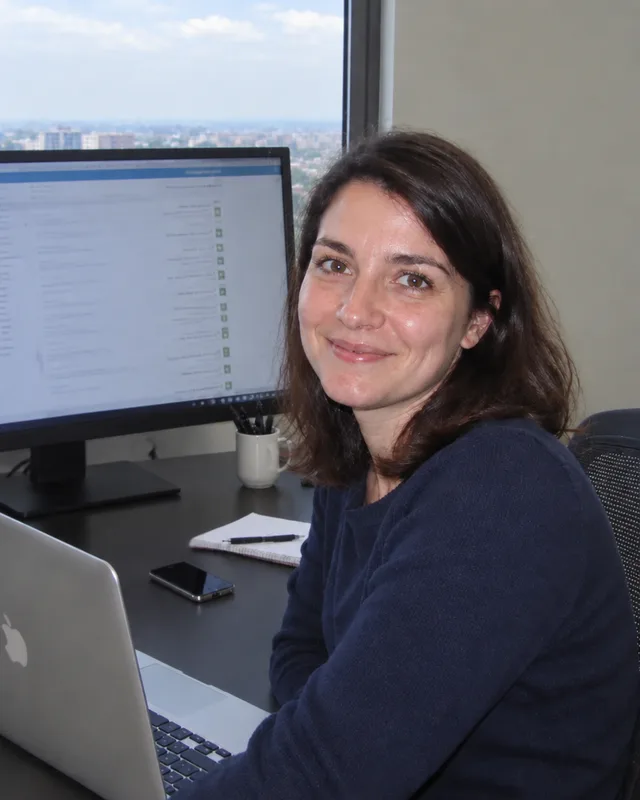
Dasha
QA engineer
Tests changes before the release: browsers, phones, forms
-
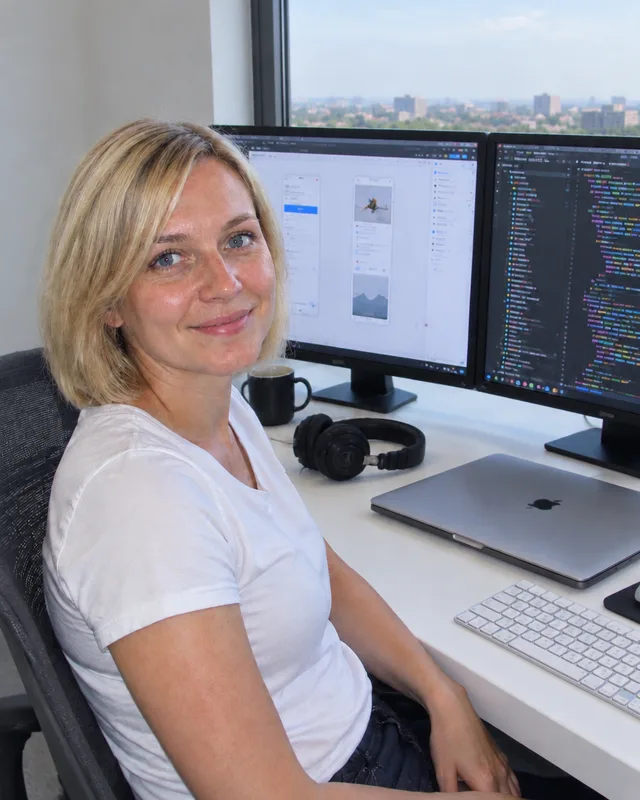
Sveta
Frontend developer
Makes interfaces fast and convenient on any device
-

Zakhar
Full-stack developer
Takes tasks end to end: from the interface to the server and the database
-

Anna
Content manager
Fills and updates the site and keeps the texts and pages in order
-

Kirill
Team lead
Leads complex tasks and makes sure everything is done to the specification and on time
What happens after launch
The solution is not left unattended and does not tie you to us.
Support
We watch the quality of answers, update models and extend scenarios. The terms of support are written into the contract.
More about website supportStaff training
We show the team how to work with the solution and leave instructions.
Handover
We hand over access, code and documentation. The solution stays with you and does not depend on us.
Next steps
When the first scenario works, we suggest the next one: with the same pilot passport and the same measurements.
Questions and answers
Where do we start if we do not know where AI fits?
Start with a process review: we look at where time is lost and pick one narrow scenario. It is enough to tell us what you do by hand most often.
How much does the first step cost?
You can see the prices by step in the table above. The review and the pilot passport are the smallest investment before the decision on a pilot. We give an exact quote after a conversation about your process.
How long does the pilot take and what will we get?
Usually 3 to 6 weeks on one process. At the end you get a working prototype, weekly reports with measurements and a final report with a recommendation.
What if the pilot does not pay off?
We compare the result with the threshold from the pilot passport. If it was not reached, we say so plainly and offer to fix the solution or stop. The decision is yours.
Do we need our own programmers and servers?
No. We connect the solution to your systems ourselves. You only need your own server if the data cannot leave your perimeter.
Will it replace our staff?
Automation takes the routine: data entry, search, drafts. Decisions and doubtful cases stay with people.
Where is the data stored and who sees it?
It depends on the type of data, see the section on setups above. Highly sensitive data is processed only on your own server; personal data may also go to a cloud in your region if the law and the contract allow it.
Is our data used to train models?
We check the model provider's terms before launch and fix them in the contract. For sensitive data we use open models on your own server: they send nothing outside.
What about data protection law?
We set up protection technically. Your lawyer assesses legal compliance, and we prepare a description of which data goes where.
What if the system makes a mistake?
A person confirms irreversible steps, every action is written to a log, and the acceptable error level is set in the pilot passport.
Does it work with our CRM and accounting system?
We connect to what you already have, see the list in the models section. If a system has no integration access, we look for a workaround or say plainly that it is expensive.
Which models do you use?
We choose by task and data: cloud models, regional clouds, open models on your own server. We are not tied to a single provider.
What happens after launch?
We can support the solution: watch the quality of answers, update models, extend scenarios. Or we hand the code, access and documentation to your team.
Will you train our staff?
Yes, training on working with the solution is part of the rollout and handover step. Separate corporate training on working with AI is discussed separately.
Do you work with companies from other countries?
Yes. We agree the contract, currency and documents for your country. The website and the team work in English.
Why choose us
-
One of the oldest teams
More than 15 years of experience.
-
Proven projects from different countries
300+ clients, many of whom have come back to us.
-
Honest positive reviews
No padding: we show only real ones, with the authors' consent.
-
Clear, transparent prices
Hours times a rate, no hidden percentages, a quote before work starts.
-
Full cycle in one team
Analysis, design, development, SEO and advertising with no gaps between contractors.
-
One person responsible
You talk to the project manager, who owns the result and the deadlines.
-
A contract and reporting
We write the terms into the contract and show what has been done.
-
The project stays yours
We hand over access, code and documentation, with no lock-in to us.
-
We speak English
Convenient ways to reach us: Telegram, WhatsApp and the contact form.
-
We tell you if you do not need the service
If the task can be solved more simply or cheaply, we will say so.
Next step
Tell us about the process: what you do by hand and how much
Leave a request and we will reply with a short review of your process. No obligation.
- The process review is a separate first step with no contract for the whole project
- The pilot passport fixes the goals before any work starts
- If AI is not needed, we will say so plainly
- 15+ years of experience
- 300+ clients
- 45+ specialists